
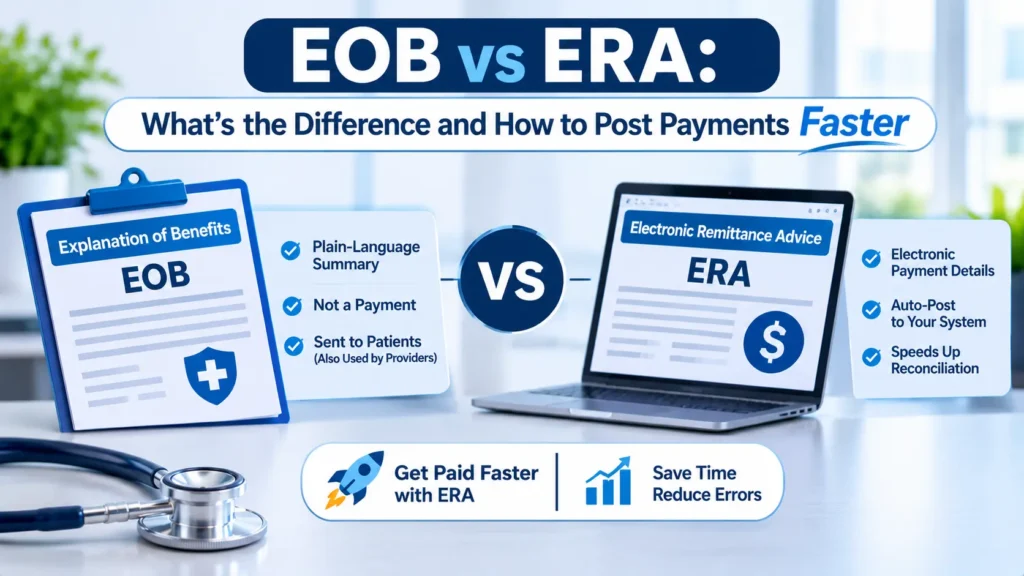
An EOB (Explanation of Benefits) is the human readable statement a payer sends to explain how it processed a claim, usually on paper or as a PDF. An ERA (Electronic Remittance Advice) carries the same adjudication data in a standard X12 835 file that your billing system reads and posts on its own. The EOB tells a person what happened. The ERA tells your software. Pair the ERA with EFT deposits and posting drops from hours to minutes.
If your team still keys payments from paper EOBs or payer portal PDFs, this guide applies to you. We’ll show you how each document works, how to read an 835 file without a decoder ring, why your ERA total rarely matches the bank deposit, and the exact workflow our billers use to post faster with fewer errors.
What is the difference between an EOB and an ERA?
An EOB and an ERA report the same claim decision in two different formats. The EOB is a readable document for people. The ERA is a structured X12 835 file for machines. Patients receive EOBs. Providers can receive either, but practices that enroll in ERA get faster, automated payment posting.
We added EFT to the comparison because billers mix it up with ERA constantly.
The short version: the EFT is the money, the ERA explains the money to your software, and the EOB explains it to a human.
What is an EOB in medical billing?
An EOB is a printed or PDF statement that lists each service on a claim, what you billed, what the payer allowed, what it paid, and what the patient owes. It is not a bill. Payers mail member EOBs to patients and, for providers without ERA, send a paper remittance that billers often call the provider EOB.
Names vary by payer. Medicare sends beneficiaries a Medicare Summary Notice (MSN) and sends providers a Standard Paper Remittance (SPR) if they haven’t switched to ERA. Aetna, Cigna, and UnitedHealthcare usually call the provider version a remittance advice.
How to read an EOB, field by field
Every EOB carries these fields, in roughly this order:
- Payer and payee details. Payer name, your NPI, and tax ID. A wrong TIN means the payment landed under the wrong entity.
- Claim identifiers. Member ID, your patient account number, and the payer’s claim control number. You’ll need that control number for every appeal.
- Service lines. Dates of service, CPT or HCPCS codes, modifiers, and units.
- Billed, allowed, and paid amounts. The gap between billed and allowed is usually a contractual write off.
- Patient responsibility. Deductible, coinsurance, and copay, often in separate columns.
- Reason and remark codes. They explain every dollar the payer didn’t pay. Read them before you post.
- Check or EFT number. One payment often covers dozens of patients.
Here’s a quick sanity check our billers run on every line: billed minus contractual adjustment minus patient responsibility should equal paid. If the math fails, stop and find out why before posting.
What is ERA in medical billing?
ERA in medical billing is the electronic version of the remittance, delivered as an X12 835 transaction. HHS adopted the 835 as the HIPAA standard for claim payment and remittance advice, so every payer that sends ERAs uses the same structure. Your practice management system imports the file and posts payments, adjustments, and denials automatically.
That standardization is the whole point. A paper EOB from Humana looks nothing like one from BCBS, but an 835 from either payer follows the same segments, code sets, and balancing math.
Adoption is high but not universal. The 2023 CAQH Index reported that fully electronic remittance advice adoption rose from 83 percent to 88 percent in the medical industry, and CAQH estimated a $701 million annual savings opportunity still sitting in the remaining manual and partially electronic remits. In plain terms, roughly one remittance in eight still reaches a human first.
What is an 835 file?
An 835 file is the raw text file behind every ERA. It strings together short records called segments, each separated by a tilde (~), with fields separated by asterisks (*). You don’t need to read raw 835s every day, but knowing the main segments helps you troubleshoot posting errors fast.
The segments that matter most for posting:
- BPR: total payment amount, payment method (ACH, check, or no payment), and payment date.
- TRN: the reassociation trace number that ties this file to an EFT deposit or check number.
- N1*PR and N1*PE: who paid (the payer) and who got paid (your practice).
- CLP: one claim’s result, including your patient account number, claim status, billed, paid, and patient share.
- CAS: each adjustment, written as a group code plus a reason code plus an amount.
- SVC: one service line, with the procedure code, billed amount, and paid amount.
- AMT*B6: the allowed amount for a line.
- PLB: provider level adjustments that don’t belong to any single claim, like recoupments and interest.
Here’s a simplified, fictional example of one claim inside an 835. We stripped the envelope segments so you can see the posting data:
BPR*I*102.72*C*ACH*CCP*01*999999999*DA*123456*1512345678**01*999988880*DA*98765*20261113~
TRN*1*EFT20261113001*1512345678~
CLP*ACCT10442*1*180*102.72*25.68*12*PAYERCLM778812~
SVC*HC:99214*180*102.72**1~
CAS*CO*45*51.6~
CAS*PR*2*25.68~
AMT*B6*128.4~
Read it line by line. The practice billed $180 for CPT 99214. The payer allowed $128.40, wrote off $51.60 as a contractual adjustment (CO-45, charge exceeds the fee schedule), assigned $25.68 to the patient as coinsurance (PR-2), and paid $102.72. Status code 1 in the CLP segment means the payer processed it as primary. The math balances: 180 minus 51.60 minus 25.68 equals 102.72.
Other CLP status codes you’ll see often: 2 (processed as secondary), 4 (denied), 19 (processed as primary and forwarded to another payer), and 22 (reversal of a previous payment). Watch for 22. It means the payer took back money it already paid you.
ERA vs EFT: how the remittance and the money connect
ERA and EFT are separate transactions that travel on separate rails. The ERA goes through your clearinghouse to your billing system. The EFT goes through the ACH network to your bank. One trace number links them, and matching the two is called reassociation.
Under HIPAA, the healthcare EFT standard is the NACHA CCD+ format, and health plans must place the 835 TRN segment into the addenda record of that deposit, according to CMS guidance on EFT and remittance advice operating rules. When the trace number on your bank statement matches TRN02 in the 835, your system knows which deposit pays which claims.
Three practical rules follow from that:
- Your bank has to pass the addenda through. Many banks strip the CCD+ addenda by default. Call your bank and ask for the CAQH CORE minimum reassociation data elements on your healthcare deposits. Without them, your team guesses.
- The ERA and EFT should arrive close together. The CAQH CORE 370 reassociation rule asks health plans to release the 835 within three business days of the EFT effective date, before or after. If ERAs consistently trail deposits by a week, document it and escalate with the payer.
- Virtual credit cards aren’t your only option. Some payers default to paying by virtual card, which carries processing fees. CMS guidance confirms that health plans can’t force you to accept virtual card payments, and you can request standard EFT instead.
What do CARC, RARC, and group codes on an ERA mean?
Every dollar a payer doesn’t pay carries a code. A group code says who owns the balance, a Claim Adjustment Reason Code (CARC) says why the payer adjusted it, and a Remittance Advice Remark Code (RARC) adds detail. Read all three together before you write anything off.
X12 maintains the official CARC and RARC code lists, and the lists change several times a year. The four group codes you’ll see:
The combinations our billers see most on internal medicine and family practice remits:
- CO-45: charge exceeds the fee schedule. A normal contractual write off.
- PR-1, PR-2, PR-3: deductible, coinsurance, and copay. Move to patient balance.
- CO-97: the payer bundled this service into another one already paid. Check modifier use, especially modifier 25 and 59.
- CO-16: the claim lacks information. The RARC names the missing item.
- CO-197: pre authorization or notification missing. Appeal only if you have the auth number on file.
- CO-50: the payer decided the service wasn’t medically necessary. Appeal with documentation.
- PR-96: non covered charge assigned to the patient. Confirm you had a valid waiver or ABN before billing the patient.
One opinion from the posting desk: most practices treat CO-45 as background noise and auto adjust it without a second look. That habit hides underpayments. If the allowed amount on a CO-45 line drops below your contracted rate, the payer underpaid you and the ERA will never flag it.
Work Every ERA Denial Within Days
Denial codes on your ERAs only help if someone works them within days, not months. Our denial management services team sorts every CARC and RARC by root cause, appeals the recoverable ones, and fixes the front end errors that keep creating them. See how a dedicated denial specialist would handle your current backlog.
Why doesn’t my ERA match my bank deposit?
Your ERA total and your deposit rarely match because the payment amount in the BPR segment already reflects provider level adjustments. The payer adds up every claim payment, then subtracts recoupments or adds interest in the PLB segment, and deposits the net. Find the PLB segment and the gap usually explains itself.
A typical example: a payer’s 835 shows 41 claims paying $4,812.50. Your bank shows a deposit of $4,600.50. The $212 difference sits in a PLB segment with adjustment code WO, an overpayment recovery from a claim the payer paid twice last quarter. Nothing is missing. The payer took money back on a different patient’s claim and reported it at the provider level.
PLB codes you’ll see most: WO (overpayment recovery), FB (forward balance), L6 (interest the payer owes you), and CS (general adjustment). Other reasons the numbers drift include a check run split across two ERAs, a file your clearinghouse dropped, or a virtual card payment that never hit your bank. Post the ERA as received, then tie each PLB item to the claim it references so your A/R stays accurate.
How do you enroll in ERA and EFT?
You enroll separately with each payer, and often separately for ERA and EFT. The ERA enrollment tells the payer which clearinghouse should receive your 835 files. The EFT enrollment tells the payer which bank account gets the money. CAQH CORE operating rules require health plans to offer electronic enrollment for both.
The process our enrollment team follows for a new practice:
- Rank payers by paper volume. Pull 90 days of paper EOBs and portal remits.
- Confirm clearinghouse payer IDs. Availity, Waystar, Office Ally, or your EHR’s built in clearinghouse lists which payers send ERAs through it.
- Enroll in ERA per payer. Most commercial payers handle this through Availity, their own portal, or the clearinghouse. Medicare requires an EDI enrollment with your Medicare Administrative Contractor and a clearinghouse authorization.
- Enroll in EFT per payer. Medicare uses the CMS-588 EFT authorization form. Many commercial payers use CAQH EnrollHub or a payer portal. Have a voided check and your TIN and NPI ready.
- Tell your bank to deliver CCD+ addenda. Ask for the CORE minimum reassociation data on every healthcare deposit.
- Run parallel for one payment cycle. Keep paper EOBs coming until the first ERA posts cleanly and balances to the deposit.
Watch one trap closely. When you switch clearinghouses or billing companies, ERA enrollments don’t follow you automatically. We’ve watched practices go a full month without a single Aetna remit because nobody moved the ERA enrollment to the new clearinghouse. The payments kept arriving. Nothing posted. If your team needs help with this step, our ERA and EFT enrollment support covers every payer on your list.
How to post payments faster: a 7 step workflow
You post faster by removing manual keying, not by typing faster. Enroll every payer in ERA and EFT, let the system auto post clean lines, and send only exceptions to a human. Most practices that make this switch move their posting backlog from days to same day.
Picture a four provider internal medicine practice in Tampa. One biller spends most of Monday scanning paper EOBs and keying 200 lines from UnitedHealthcare, Florida Blue, and Humana remits. By Tuesday, Monday’s denials still sit unworked and patient statements go out with wrong balances. Slow posting delays everything downstream.
The root cause is almost always the same. A handful of high volume payers still send paper or portal PDFs, nobody owns the enrollment cleanup, and the billing system’s auto posting rules sit at factory defaults.
What it costs: every day a remit waits unposted, you lose a day on your appeal and timely filing clocks. Here’s a simple way to size it. If your biller spends 6 minutes per paper EOB and you receive 300 a month, that’s 30 hours of keying, nearly a full work week, before anyone touches a denial. Plug in your own numbers; the pattern holds.
Here’s the workflow we run for clients:
- Close the ERA gaps. Enroll every payer above 2 percent of your claim volume in ERA and EFT. Track enrollment status weekly until done.
- Set auto posting rules by group code. Auto post CO-45 and PR-1, PR-2, PR-3 lines that balance. Route everything else to a work queue.
- Load your contracted fee schedules. Have the system compare each allowed amount against the contract and flag any underpayment automatically.
- Reconcile daily, not monthly. Match each ERA to its deposit by trace number every morning. Your team works unmatched deposits and orphan ERAs the same day.
- Work denials from the ERA within 48 hours. Sort by CARC so one biller handles all CO-16 rework and another handles CO-50 appeals.
- Drop secondary claims electronically. Use the primary 835 data to send the secondary claim as an 837 with the primary adjudication details, instead of printing and mailing the primary EOB.
- Review PLB adjustments weekly. Tie every recoupment back to the original claim so you can dispute the wrong ones.
Medicotech has processed more than 100,000 claims with a 96 percent clean claim rate, and our CPC certified billers post from ERA data first because every downstream step depends on accurate numbers. That same discipline runs through our outsourced medical billing services for practices in all 50 states. If you want the bigger picture of how posting fits with charge entry, claims, and collections, our overview of revenue cycle management services walks through each stage.
When do you still need a paper EOB?
You still need EOBs in a few situations, even after full ERA enrollment. Paper or PDF copies stay useful for patient questions, some secondary payers, appeals, and payers that don’t send 835s at all.
- Secondary claims on paper. Some smaller payers and many auxiliary plans still want the primary EOB attached to a CMS-1500.
- Patient disputes. Patients understand their member EOB. Comparing it with your statement settles most balance questions on the first call.
- Appeals. A payer’s own EOB, attached to an appeal letter, documents exactly what it decided and when. Our guide to writing a medical claim appeal letter shows where it fits.
- Workers’ compensation and auto claims. Many of these carriers still pay by paper check with a paper explanation.
- Payer audits. Keep the EOB or a readable ERA printout for any claim under review.
If a denial on an EOB or ERA leaves you unsure whether the clearinghouse rejected the claim or the payer actually adjudicated it, read our breakdown of claim rejection vs denial before you resubmit. The fix differs completely.
Frequently asked questions
Is an ERA the same as an EOB?
No. Both describe how a payer processed a claim, but an EOB is a readable paper or PDF statement and an ERA is an electronic X12 835 file. Your billing software can auto post an ERA. A person has to key an EOB by hand.
What is the difference between ERA and EFT?
The ERA explains the payment and the EFT delivers it. The ERA reaches your billing system as an 835 file; the EFT reaches your bank through the ACH network. A shared trace number links the two.
Are payers required to send an ERA?
Health plans that conduct electronic remittance must use the HIPAA standard 835 and must offer electronic ERA enrollment under CAQH CORE operating rules. You still have to enroll with each payer. Until you do, most payers keep sending paper.
How do I open an 835 file?
Your practice management system or clearinghouse converts 835 files into readable remits automatically. For Medicare, CMS offers free Medicare Remit Easy Print (MREP) software for professional claims. You can open a raw 835 in a text editor, but it reads as one long string of segments.
Does a $0 payment on an ERA mean the claim was denied?
Not always. A $0 line can mean the payer applied the full allowed amount to the patient’s deductible (PR-1), bundled the service into another line (CO-97), or actually denied it. Check the CLP status code and the CAS codes before you decide.
Is the PR amount on an ERA always what the patient owes?
Usually, but confirm first. If the patient has secondary coverage, send the PR balance to the secondary payer before billing the patient. And if the PR amount looks wrong, call the payer before a patient sees an inaccurate statement.
What is the difference between a CARC and a RARC?
A CARC explains why the payer adjusted a claim or line, such as CARC 45 for a fee schedule reduction. A RARC adds supporting detail, like which piece of information was missing. A CARC can stand alone. A RARC always rides with a CARC.
Can I use an EOB to appeal a denied claim?
Yes. Attach the EOB or a readable printout of the ERA to your appeal. It shows the payer’s own claim control number, the denial codes, and the decision date, which your appeal letter should reference directly.
How long does ERA enrollment take?
It varies by payer. Many commercial enrollments finish within a few weeks, while Medicare enrollments wait on your MAC’s EDI processing. Keep paper EOBs flowing until the first 835 from each payer posts and balances correctly.
Stop Keying Payments by Hand
Still keying payments from paper EOBs or chasing ERAs that never match your deposits? Our revenue cycle management services team handles ERA and EFT enrollment, auto posting setup, daily reconciliation, and denial follow up for practices in all 50 states. Ask for a free billing audit and we’ll review your last 90 days of remits and show you where posting delays cost you money.
—