
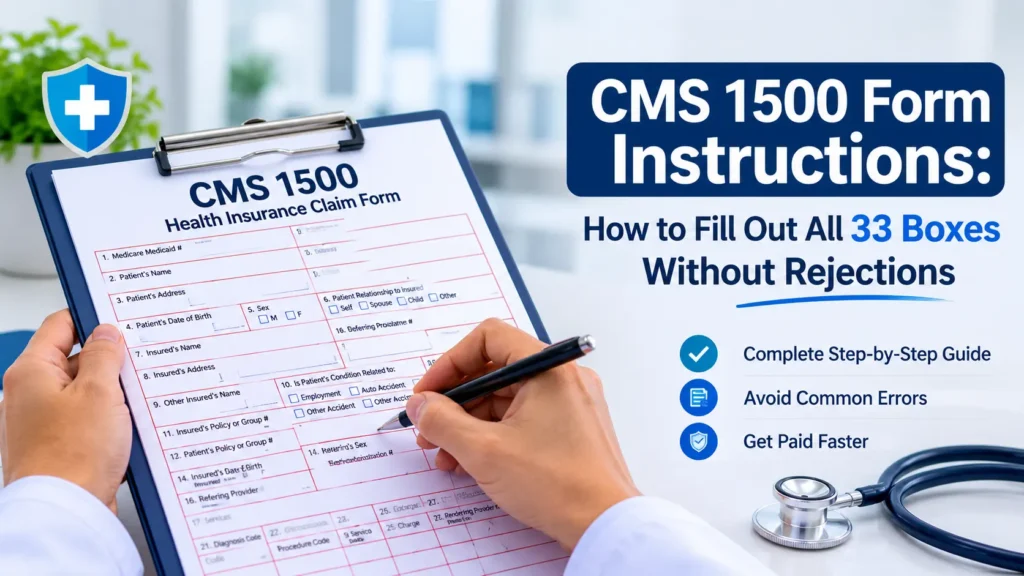
To fill out a CMS 1500 form, you complete 33 numbered boxes in four passes: patient and insured details (Boxes 1 to 13), condition and referral details (Boxes 14 to 23), up to six service lines (Box 24), and billing provider details (Boxes 25 to 33). Use the 02/12 version, enter ICD-10-CM codes without decimals, and point every service line to a diagnosis. Most rejections trace back to Boxes 1a, 21, 24, and 33.
That’s the short version. The rest of this guide gives you CMS 1500 form instructions for every box, using the current NUCC manual and CMS guidance, plus the two comparisons billers ask us about most: CMS 1500 vs UB 04 and 837P vs CMS 1500.
What is the CMS 1500 form and who still files it on paper?
The CMS 1500 is the standard paper claim form that physicians, nurse practitioners, therapists, and suppliers use to bill professional services. The National Uniform Claim Committee (NUCC) designs and maintains it. CMS adopted the current 02/12 version for Medicare claims received on or after April 1, 2014, and veteran billers still call it the HCFA 1500.
You’ll rarely mail one. The Administrative Simplification Compliance Act (ASCA) requires you to send initial Medicare claims electronically unless you meet an exception. CMS’s December 2025 booklet on the CMS 1500 and 837P lists four:
- Your practice has fewer than 10 full time equivalent employees.
- You roster bill as a mass immunizer for flu, pneumonia, or COVID shots.
- You submit paper claims under a Medicare demonstration project.
- You bill a Medicare Secondary Payer claim with more than one primary payer and more than one allowed amount.
So why learn the paper form at all? Because your billing software thinks in boxes. Every clearinghouse rejection report, payer manual, and EHR claim screen points to “Box 24J” or “Box 33a,” even when the claim travels as an electronic file.
One warning before you print anything. CMS doesn’t accept photocopies, because payer scanners need the form’s exact colors to read it. Order originals from the U.S. Government Bookstore or an office supply printer, as the CMS professional paper claim form page explains.
How do you fill out a CMS 1500 form step by step?
Work top to bottom in four passes, and apply the same format rules everywhere. Scanners read the paper form, so a stray comma or dollar sign can push a clean claim into manual review. These six rules come straight from the NUCC 1500 instruction manual:
- Names: enter Last, First, Middle Initial with commas between the parts. Skip titles (Dr) and credentials (MD).
- Birth dates: use eight digits, MM DD YYYY.
- Money: no dollar signs, no commas, no decimal points. Enter 00 in the cents column for whole dollar amounts.
- ID numbers: no hyphens and no spaces in policy numbers, tax IDs, or authorization numbers.
- Addresses: no punctuation, and a 5 or 9 digit ZIP code with no hyphen.
- Reserved boxes: leave Boxes 8, 9b, 9c, and 30 blank. NUCC reserves them.
Boxes 1 to 13: patient and insured information
This block tells the payer who the patient is and whose policy covers the visit. Copy every character from the insurance card, not from memory or an old chart.
Here’s a front desk moment we see constantly. A BCBS card shows a three character prefix ahead of the member number, and someone keys only the digits into Box 1a. The claim can’t find its home plan, and it bounces before a human ever reads it.
Checking coverage before the visit prevents most of this. Our team runs insurance eligibility verification ahead of each appointment, so Boxes 1a, 4, and 11 match the payer’s file while the patient still stands at your front desk.
Boxes 14 to 23: condition, referral, and diagnosis details
These boxes explain why the patient came in and who sent them. Several need a qualifier, a short code that tells the payer what kind of date or provider you’re reporting.
Box 21 deserves one extra minute. List the diagnosis that drove the visit on line A, code to the highest specificity the note supports, and never type a description. Payers read codes only.
Get Certified Coders on Your Box 21 and Box 24 Entries
Diagnosis pointers, modifiers, and NDC lines trigger a steady stream of coding rejections. Our medical coding services put certified coders on your Box 21 and Box 24 entries before a claim leaves the building, which improves coding accuracy from the first submission. See how we’d code for your specialty.
What goes in CMS 1500 Box 24?
Box 24 holds your service lines: one row for each procedure, with the date, place, code, charge, and the provider who performed it. The form gives you six rows and ten columns, lettered A through J. Each row has a shaded top half for supplemental details and an unshaded bottom half for the main data.
How do you report an NDC in the shaded area of Box 24?
Type the qualifier N4, the 11 digit NDC with no hyphens, one space, then the unit qualifier and quantity. NUCC accepts five unit qualifiers: F2 (international unit), GR (gram), ME (milligram), ML (milliliter), and UN (unit). The shaded line holds 61 characters, and it also takes ZZ plus a narrative when you bill an unlisted code.
A worked Box 24 example
Picture an internal medicine practice in Tampa. An established patient with type 2 diabetes comes in for a problem visit, and the physician also gives a vitamin B12 injection for a documented deficiency.
Box 21 reads A. E119 and B. E538. Box 24 looks like this:
Modifier 25 on line 1 tells the payer the office visit stood apart from the injection. Each line points to the diagnosis that justifies it. Box 28 then shows 240 00, the sum of the three charges. (The dollar amounts are placeholders, so use your own fee schedule.)
Need more than six lines? Continue on a second form and number the pages. Payers differ on where the total goes, so check before you mail. Palmetto GBA, a Medicare contractor, wants Box 28 completed on the last page only.
How do you complete Boxes 25 to 33?
The bottom of the form identifies who receives payment, how much you charged, and where the service happened. These boxes look routine. They cause a surprising share of front end rejections.
Three boxes answer three different questions. Box 24J says who performed the service. Box 32 says where. Box 33 says who gets the check.
A physician who works for a group puts a personal NPI in 24J and the group’s NPI in 33a.
In our opinion, most practices overtrain on CPT codes and undertrain on these NPI boxes. The numbers on your claim must match your payer enrollment records exactly, and a new hire’s claims will reject until each payer loads that provider under your group.
Which CMS 1500 boxes cause the most claim rejections?
In our experience, seven spots on the form cause most of the trouble, and every one of them fails for a preventable reason. A rejected claim never enters the payer’s system, so the filing clock keeps running while your staff fixes and resends it.
The cost adds up quietly. If your practice bills more than 500 claims a month and 5 percent bounce at the front end, that’s 25 claims your team touches twice every month. Here’s where we’d look first:
- Box 1a: a member ID missing its prefix or carrying a transposed digit. Fix: scan the card and verify eligibility before the visit.
- Boxes 4, 6, and 11: the subscriber’s details don’t match the payer’s file. Fix: confirm the policyholder’s name and birth date, not only the patient’s.
- Box 11d vs Box 9: YES in 11d with nothing in 9, 9a, and 9d. Fix: collect secondary coverage at check in.
- Box 17: a missing referring or ordering provider, or a name with no qualifier and NPI. Fix: build DN, DK, and DQ into your charge entry template.
- Box 21: decimals in the code, a truncated code, or the wrong ICD indicator. Fix: let your scrubber validate every code against the date of service.
- Box 24E: an ICD code typed where the pointer letter belongs, or a line with no pointer at all. Fix: enter letters only.
- Boxes 24J and 33a: rendering and billing NPIs swapped, or an NPI the payer hasn’t enrolled. Fix: audit both against your enrollment records every quarter.
We run every claim through payer specific edits before submission, which is how Medicotech holds a 96 percent clean claim rate across more than 100,000 processed claims. When a payer still pushes back, our denial management team works the claim until it pays or the appeal options run out.
How do you submit a corrected claim on the CMS 1500?
Use Box 22. Enter resubmission code 7 to replace a prior claim or 8 to void it, then enter the payer’s original claim number in the reference field. You’ll find that number on the ERA or EOB for the first claim.
Don’t send the fix as a brand new claim. Without Box 22, the payer sees a second claim for the same patient, date, and code, and it denies the newcomer as a duplicate (CO-18). Leave Box 22 empty on every original submission.
Medicare works differently. Medicare contractors tell you to leave Box 22 blank, so follow your contractor’s reopening process for corrections.
How does Medicare change the CMS 1500 instructions?
Medicare follows the same form but applies its own rules to several boxes. Chapter 26 of the Medicare Claims Processing Manual sets them, and each Medicare Administrative Contractor publishes a tutorial. The differences that trip up small practices most:
- Box 11: enter NONE when Medicare is the primary payer. Medicare requires an entry here on paper claims.
- Boxes 9, 9a, and 9d: use them for Medigap information only.
- Box 17: report the ordering or referring physician’s name with a qualifier, and the NPI in 17b, for every ordered or referred service.
- Boxes 15, 22, 24C, and 24H: leave them blank. Medicare doesn’t use them.
- Filing deadline: file within one calendar year of the date of service. Medicare denies late claims, and you can’t appeal a timeliness denial.
Commercial plans and Medicaid programs publish their own twists too. BCBS of Kansas, for instance, tells providers to mark OTHER in Box 1 for all of its products. When a payer’s manual and the NUCC manual disagree, the payer’s manual wins for that payer.
CMS 1500 vs UB 04: which form does your practice need?
Physician practices use the CMS 1500. Hospitals and other facilities use the UB 04. The CMS 1500 bills the professional’s work, and the UB 04 bills the facility’s resources: the room, the nursing care, the equipment, and the supplies.
One hospital encounter often creates both. When a surgeon operates in a hospital, the hospital bills its facility charges on a UB 04, and the surgeon’s practice bills the professional fee on a CMS 1500. Freestanding ambulatory surgery centers typically bill on the CMS 1500, though some payers ask for the UB 04, so check each contract.
837P vs CMS 1500: what’s the difference?
They carry the same claim in two formats. The CMS 1500 is paper. The 837P is the HIPAA standard electronic file for professional claims, and nearly every payer expects it. Your software builds the 837P from the same data you’d type into the boxes.
Knowing where each box lands in the file helps you read rejection reports. NUCC’s 1500 to 837P crosswalk maps every box. These are the ones we look up most:
So when a clearinghouse flags “Loop 2310B NM109 invalid,” you know to open Box 24J. Claim submission is one step in full cycle revenue cycle management, and in our experience, practices that read these reports daily collect faster than practices that wait for denials.
Should your staff keep filling out CMS 1500 claims by hand?
If your team sends a handful of paper claims a month, this guide covers what they need. Keep the NUCC manual bookmarked, since NUCC updates it every July.
If the same rejections keep returning, the form isn’t your problem. Your process is. That’s the gap medical billing services for US practices exist to close.
Stop Rework. Start With a Free Billing Audit
Rejected claims slow your cash flow and bury your staff in rework. Medicotech’s outsourced medical billing team checks every box against payer rules before submission and holds a 96 percent clean claim rate. Start with a free billing audit: a specialist reviews your last 90 days of claims and shows you where the money stalls.
CMS 1500 form FAQ
What is a CMS 1500 form used for?
Physicians, nurse practitioners, therapists, and suppliers use the CMS 1500 to bill professional services to Medicare, Medicaid, and commercial payers. It tells the payer who the patient is, what you diagnosed, what you did, where you did it, and what you charged. The electronic 837P carries the same information.
Is the HCFA 1500 the same as the CMS 1500?
Yes. HCFA 1500 is the form’s older name, from the years when the Health Care Financing Administration ran Medicare. The agency became CMS in 2001, and billers now use both names for the same form. Just make sure you’re using the current 02/12 version.
How many diagnosis codes can you put on a CMS 1500?
Box 21 holds up to 12 ICD-10-CM codes, lettered A through L. Each service line in Box 24E can point to as many as four of them. List the diagnosis that drove the visit first, and enter every code without its decimal point.
How many modifiers can you report on one service line?
Box 24D holds up to four two character modifiers per line. Put the modifier that affects payment first, such as 25 or 59, then informational modifiers. If a service needs more than four, ask the payer how it wants the extras reported before you submit.
What goes in Box 24J of the CMS 1500?
Box 24J holds the NPI of the rendering provider, the person who performed the service on that line. Enter it in the unshaded half. NUCC says to report it when it differs from the billing NPI in Box 33a, which is always true for a physician billing under a group.
What is the difference between Box 32 and Box 33 on the CMS 1500?
Box 32 shows where you performed the service. Box 33 shows who’s requesting payment. A physician who sees a patient at a surgery center lists the center in Box 32 and the practice’s billing name, address, phone, and NPI in Boxes 33 and 33a.
What is the difference between the CMS 1500 and the UB 04?
The CMS 1500 bills professional services from physicians and other individual providers. The UB 04, also called the CMS 1450, bills institutional services from hospitals, skilled nursing facilities, and other facilities. One hospital visit often produces both: a UB 04 from the hospital and a CMS 1500 from the physician.
Is the 837P the same as the CMS 1500?
They hold the same claim data in different formats. The CMS 1500 is the paper form, and the 837P is the electronic version that HIPAA requires for standard transactions. The 837P carries more detail, including up to 50 service lines, and payers return errors on it far sooner.
Can you print a CMS 1500 form and mail it?
No. CMS doesn’t accept photocopies or home printed copies, because scanners need the original form’s exact colors to read it. Buy originals from the U.S. Government Bookstore or an office supply printer, then print your claim data onto them from your billing software.
Who can still send paper CMS 1500 claims to Medicare?
Practices with fewer than 10 full time equivalent employees qualify, along with mass immunizers who roster bill, demonstration project participants, and providers billing certain Medicare Secondary Payer claims. Everyone else needs a waiver from the Medicare contractor. Without an exception or waiver, Medicare expects the 837P.
What is Box 19 on the CMS 1500 used for?
Box 19 holds up to 71 characters of additional claim information that a payer asks for, such as a narrative, an extra identifier, or an attachment control number. Each payer defines its own use, so read the payer’s manual first. Leave it blank when nothing applies.
What resubmission code do you use for a corrected claim?
Enter 7 in Box 22 to replace a previously submitted claim, or 8 to void it. Add the payer’s original claim number beside the code. Medicare is the exception: its contractors want Box 22 blank and handle corrections through their reopening process.
About the authors: The Medicotech Billing Team handles claims for more than 50 specialties across all 50 states from our St. Petersburg, Florida office. We reviewed this guide against the NUCC 1500 Reference Instruction Manual, Version 13.0, and CMS publication MLN006976 (December 2025).